 TulipSoft
 Directory structure
directory structure
Usually one project is created for one Android application. Here we will explain the structure of the project’s files and what is where.
- Project tool window
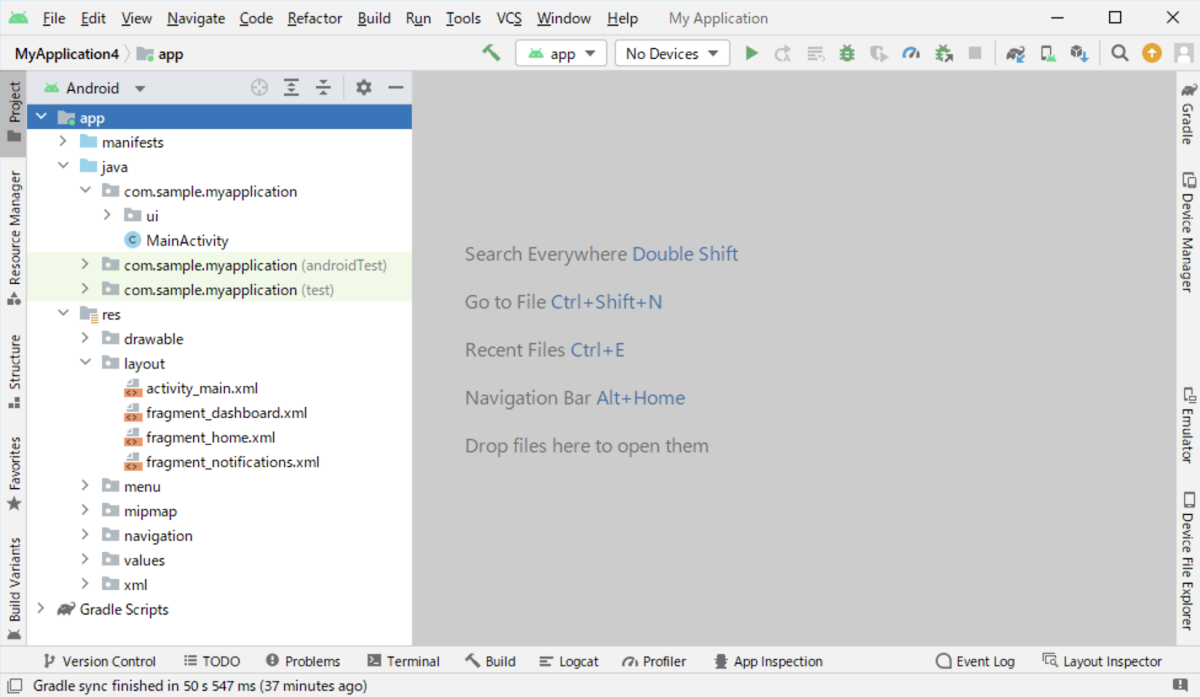
app folder
This folder contains all files related to the application, including source code. There are two types of source code: those you write yourself and those that are automatically generated when you create a new project.
manifest folder
The AndroidManifest.xml file automatically generated by Android Studio is located here. This file describes important information about your app to Android build tools, the Android operating system, and Google Play. It acts as an intermediary between Android OS and applications.
java folder
The Java folder contains all the java source code (.java) files you created during app development, including other test files.
res folder
The Resources folder contains all non-code sources such as images, XML layouts, UI strings, etc. for your app.
assets folder
Assets provide a way to add arbitrary files to your application, including text, XML, HTML, fonts, music, and video. When you create a new project in Android Studio, initially there is no assets folder inside the project. Place static images, videos, DB files, etc. in this folder. This assets folder is usually placed directly under the app folder.
To create the assets folder
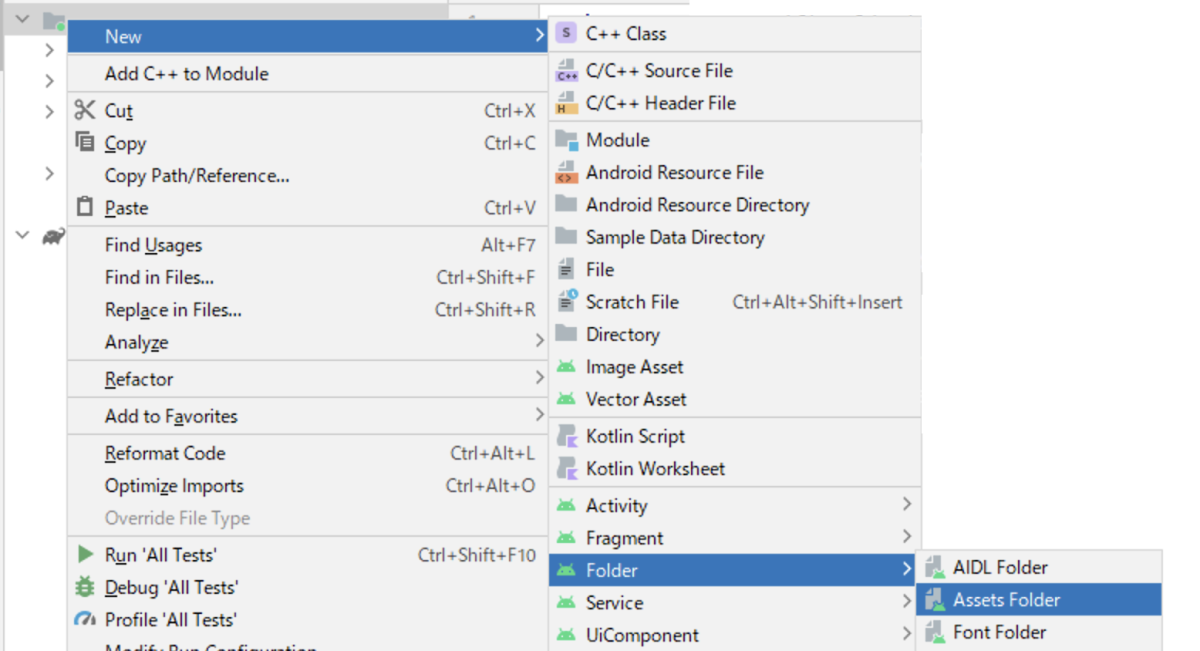
- Right-click on the app folder and select New → Folder → Assets Folder from the menu that appears.
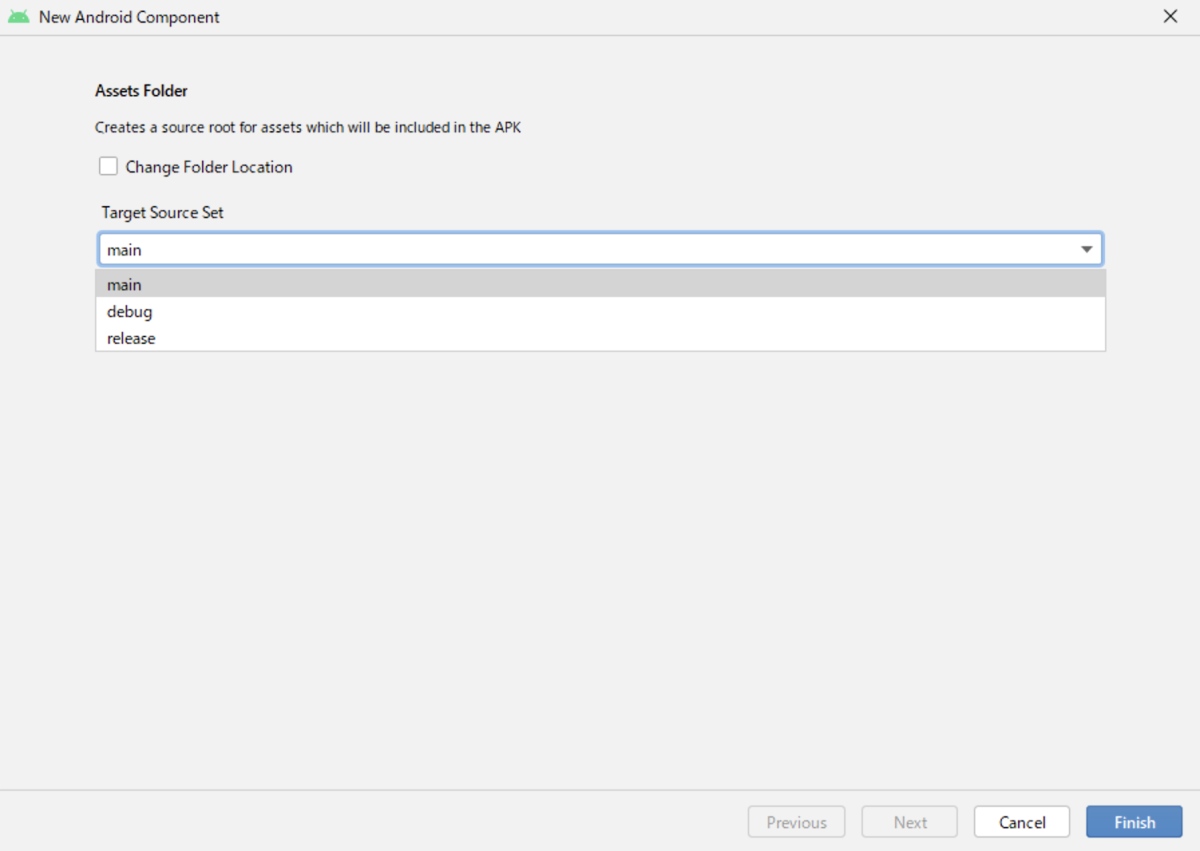
- Select Target Source Set in the dialog that appears. Please select main during development. Finally, press the Finish button to create the folder.
Gradle Scripts
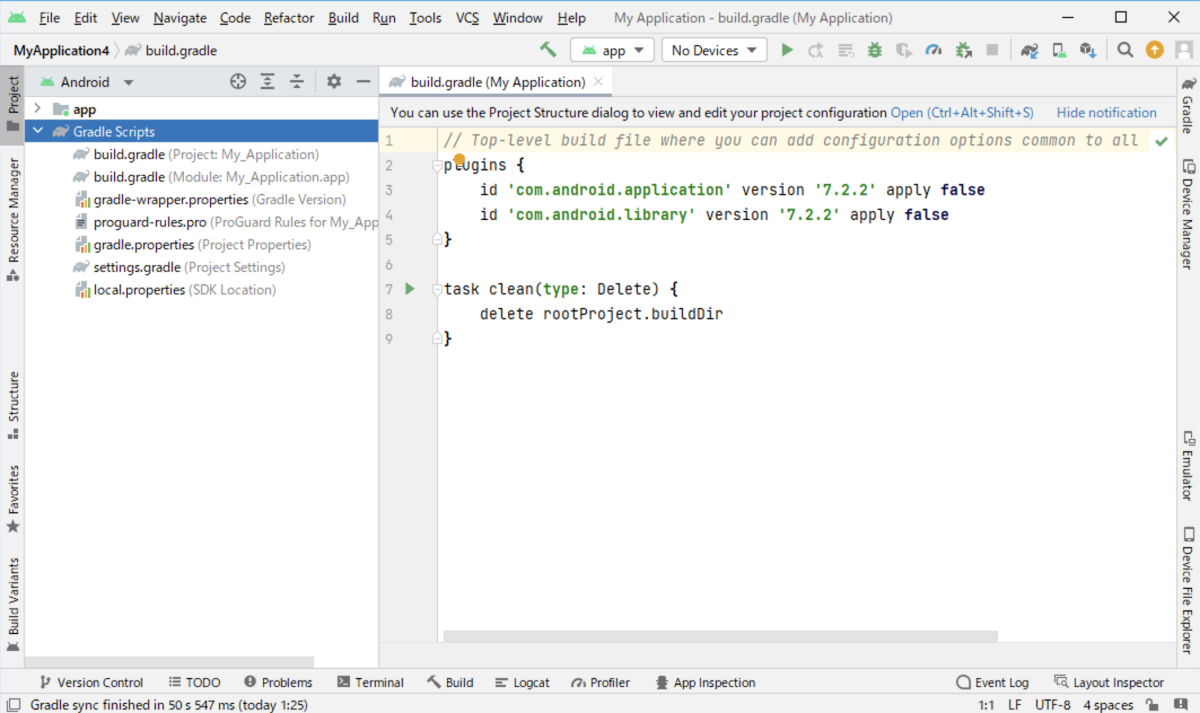
Gradle is a build system (open source) used to automate builds, tests, deployments, etc. Gradle Scripts is a collection of programs.Every Android project requires Gradle to generate an apk from the project’s .java and .xml files. gradle takes all the source files (java and xml) and applies appropriate tools. For example, convert Java files to dex files and compress them all into a single file called apk that is actually used.
- An apk file is an executable file of an Android app