 TulipSoft
 IP address fixation
What is IP address fixation?
Using DCHP, you can automatically allocate IP addresses within your LAN. If the PCs in the LAN do not interact with each other, such as when using the Internet at work or at home, using DHCP is easier. However, if the PCs in the LAN are working together, the IP address may change with DCHP, so specifying a fixed IP makes it easier to operate because each other’s IP will always be fixed. Here we will explain how to fix the IP address using a Windows PC as an example.
To fix the IP address
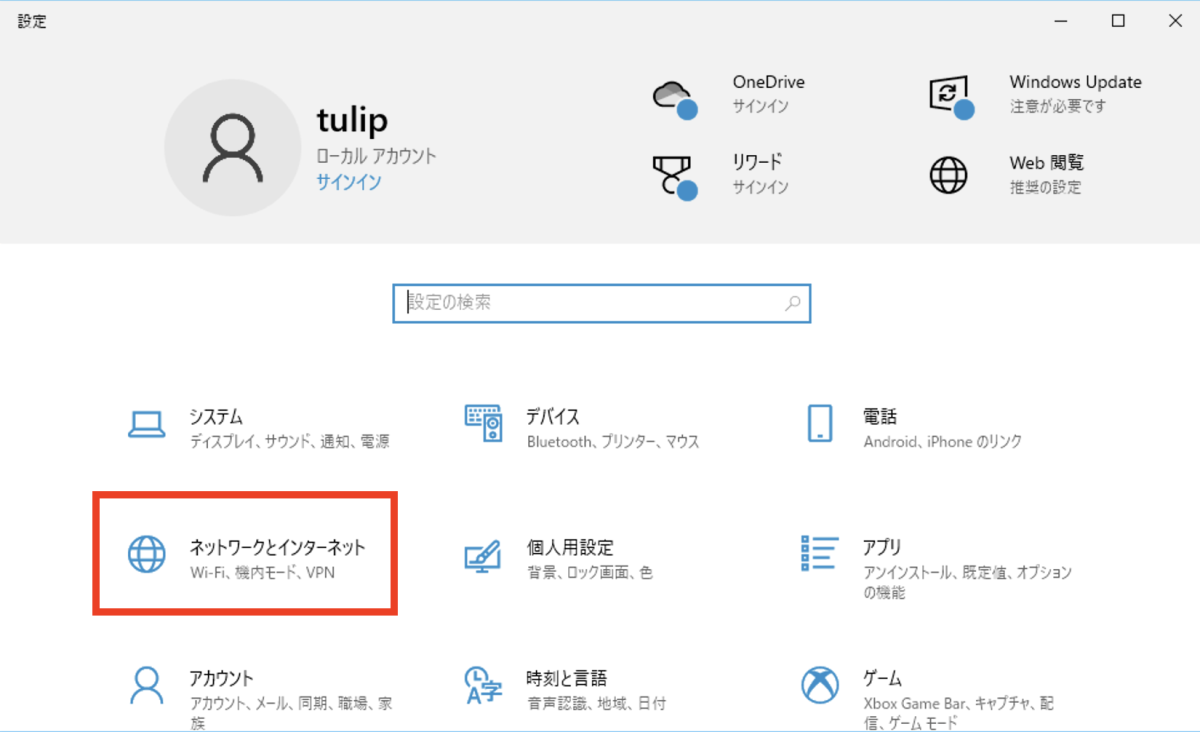
- Open Control Panel and open “Network and Internet”
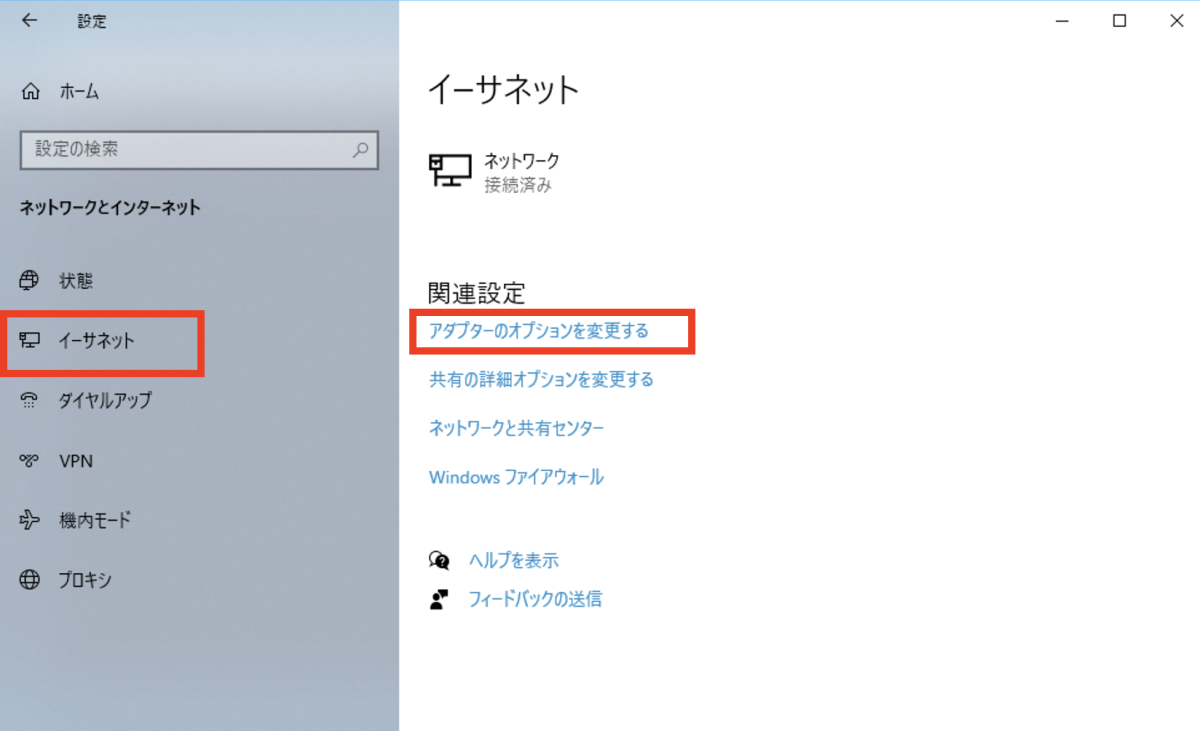
- Select Ethernet and select “Change adapter options”
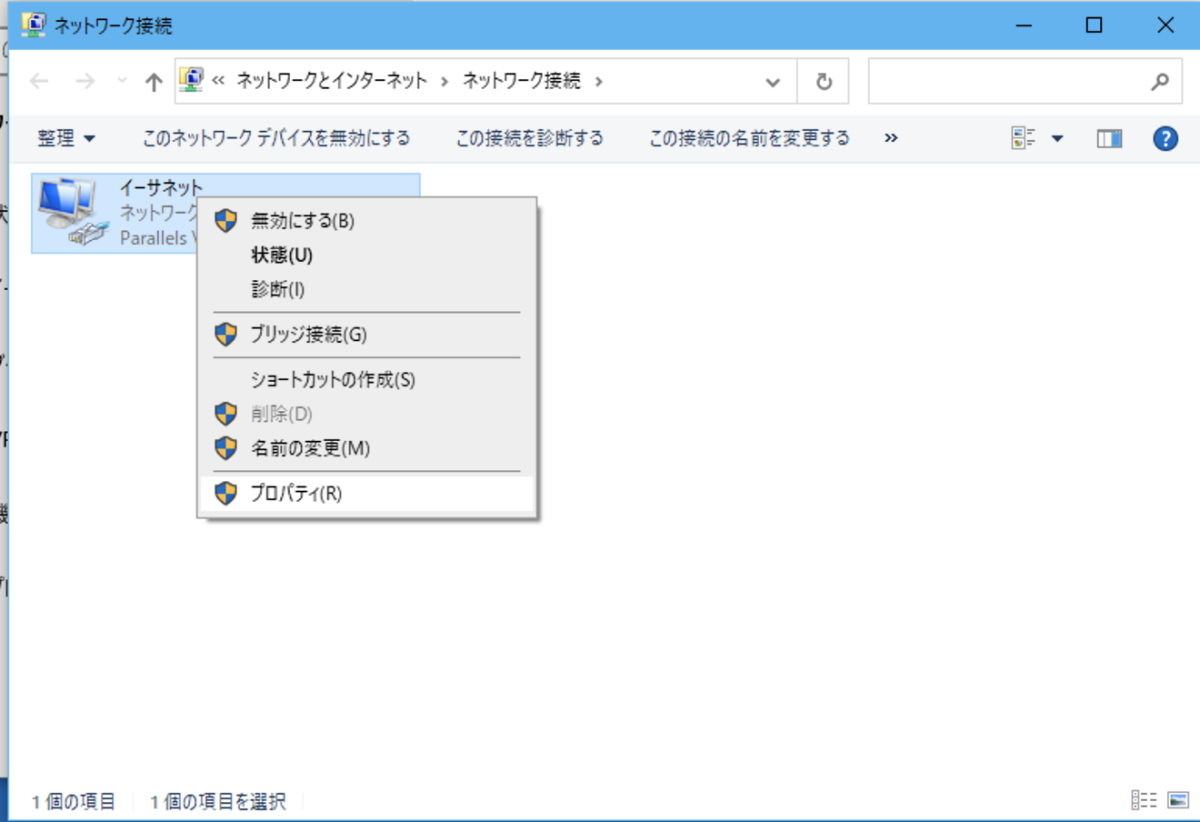
- Right-click on the connection icon and select “Properties”
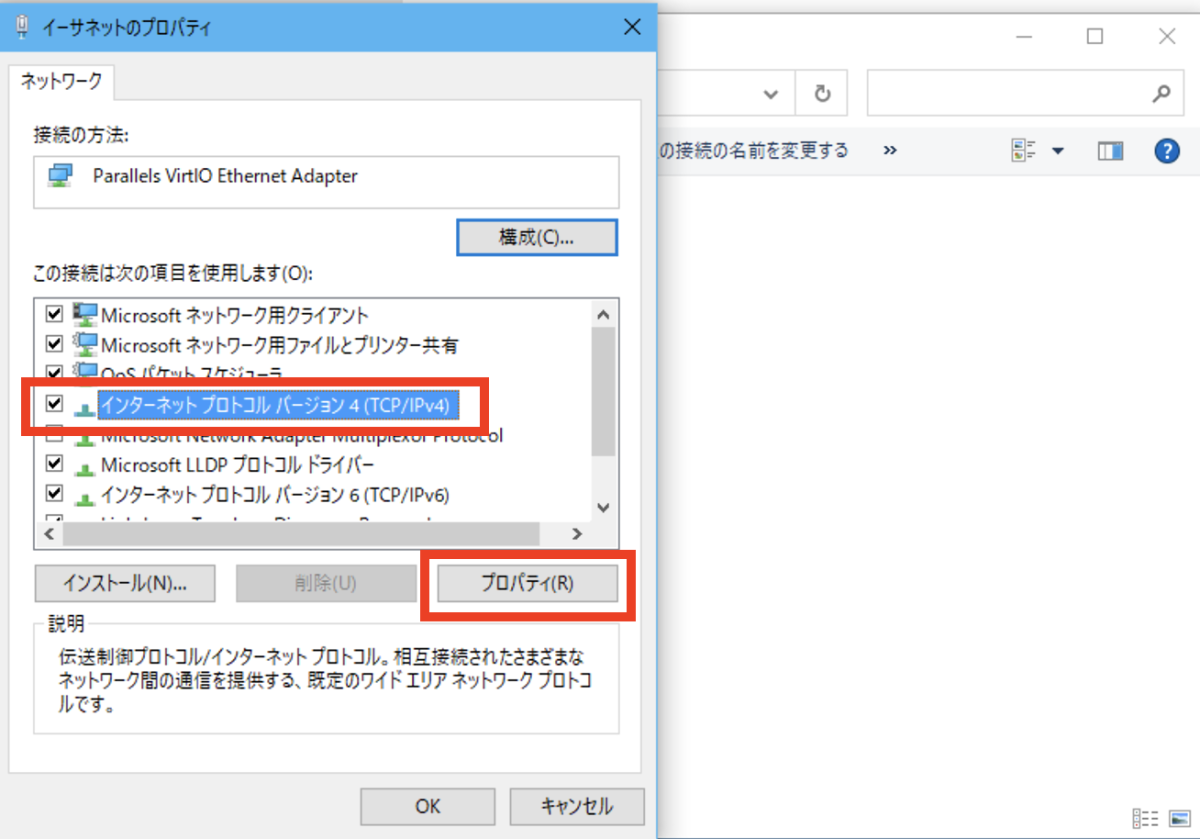
- Select “Internet Protocol Version 4 (TCP/IPv4)” and press “Properties”
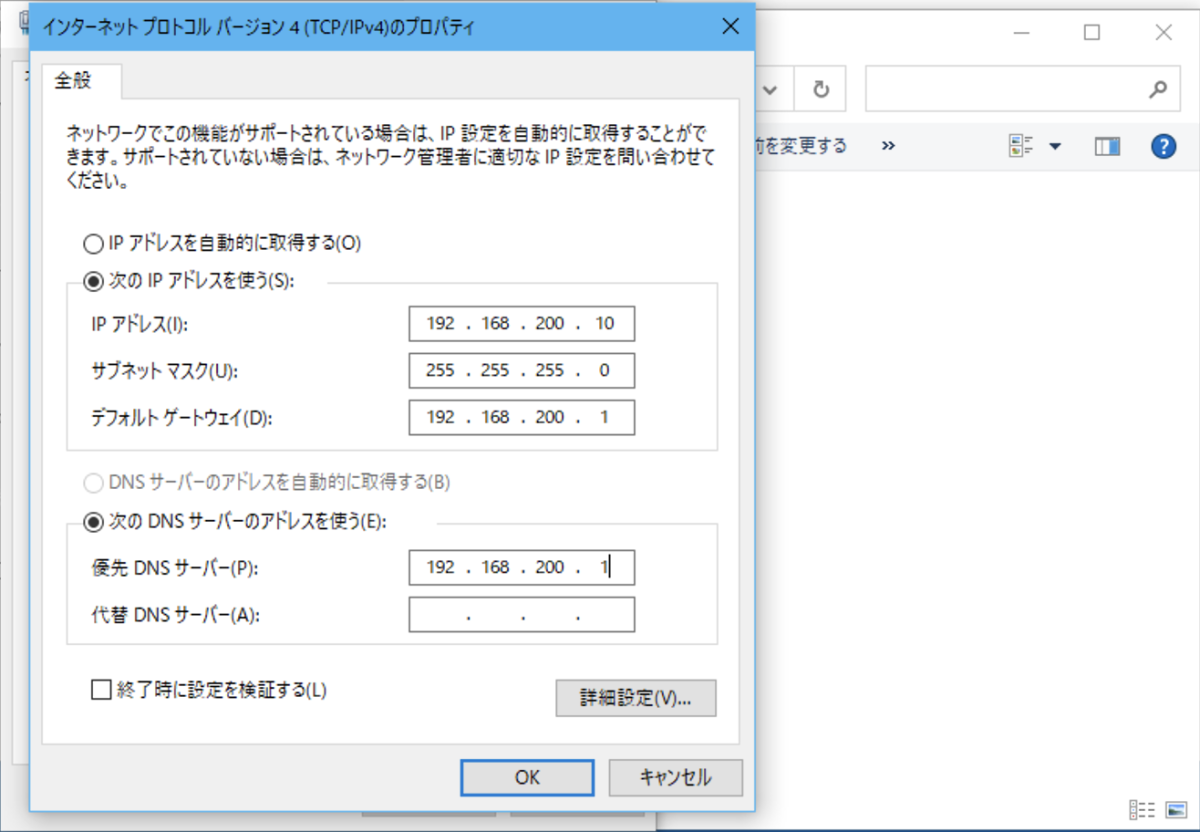
- Enter the fixed IP address. Default gateway specifies the router’s IP address.